Detection & individual crops
Detect card boundaries in a photo. When several cards appear, output a separate product image for each.
Detect cards, crop, correct angles and standardize canvases for listing images, display and bulk management.
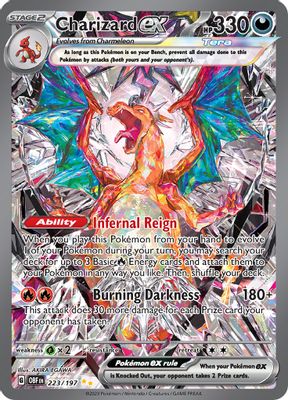
Standardize background, framing, and output for clear, aligned listings.
Detect card boundaries in a photo. When several cards appear, output a separate product image for each.
Correct tilt and perspective from camera angles to present the card straight on.
Choose background, aspect ratio and margins to standardize store images.
Return processed images and source links for SKUs, inventory and listing workflows.
Choose background, aspect ratio and margins to standardize store images. Sample output: 1200 × 1600 px.
Originals help verify details, reprocess images, and trace sources. Display images and original photos serve different purposes.
Preprocessing crops, corrects geometry, and standardizes backgrounds without removing defects or changing condition. Verify against originals before listing.
Clear inputs and outputs, from capture to confirmation.
Capture clear details and complete card edges with a camera or phone.
Set background, size and margins. Preview the cropped and corrected image.
Check edge and surface details before using processed images. Keep the originals.
Return processed images, output specs and source links so your listing system can trace every image.
Correct tilted photos and busy backgrounds for consistent framing with less manual work.
Explore solutionReuse intake photos for inventory records and product images to reduce later preparation.
Explore solutionStandardize collection image sizes and margins to make photos from different sources easier to browse.
Explore solutionNo. Preprocessing crops, corrects geometry, and standardizes backgrounds. It does not remove defects or change condition. Check originals before publishing.
Export each detected card separately and keep source-image links. Retake photos of overlapping or obscured cards.
Originals help verify details, reprocess images, and trace sources. Display images and original photos serve different purposes.
Set background and size for the target platform, then check crops, corners, and surfaces. Processing does not publish a listing.
Connect an API, request a key or discuss your data needs.
Tell us what you are building. Let us find the next step.
Define product goals, data scope, and API needs.
Combine recognition, imaging and data.
Once the plan is agreed, we help you get an API key.