Start with the card in hand
Capture or scan, confirm results and save. Reduce manual entry of names, numbers and sets.
Start collection entry with a photo. Connect catalog, version and price data for a fuller collection experience.
Capture or scan, confirm results and save. Reduce manual entry of names, numbers and sets.
Organize collections by set, number, language, and variant. Show progress against owned cards.
Add price records and grading distributions to collection details.
Keep your collection experience. Add richer card details.
Collectors can photograph or scan cards, or search the catalog by a known name and number.
Get card candidatesShow language, version and confidence. Confirm the card before adding it.
Select a catalog recordAdd collection groups, quantities, dates, costs, and notes in your app.
Build personal collection recordsOrganize lists by set and language. Add prices and graded counts to detail views.
Keep collections up to dateIdentity enables queries and linking; personal records make a card part of your collection.
Display consistent catalog details to reduce naming differences from manual entry.
Your app stores multiple copies, quantities, and personal groups.
Prices keep dates and currencies for clear context.
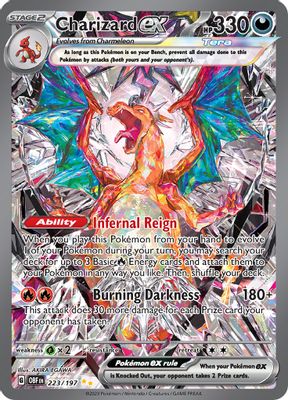
Obsidian Flames · 223/197
Holofoil · EnglishStart with smooth collection entry. Add browsing, prices, and grading details.
Turn collection photos into candidates from camera or scan input.
Consistent structured data for set browsing, search, and collection details.
Show market records with currency and date in collection details to make changes clear.
Add counts and grade distributions from a chosen grader for graded card research.
Public card details support identification and search. Your app stores private tags, costs, and collection groups.
Personal collection data managed by your appHandle exceptions and personal data within the add flow, keeping collectors in control.
Show a pending list, confirm each version and quantity, then save to a collection. Useful for binders and multi-card batches.
Show version differences and let users inspect the source photo. Keep entries pending until confirmed to avoid assigning the wrong set.
Cards remain visible. Show no records in linked data areas while retaining card details and personal notes.
Plan how data flows through every step of your business.
More questions? Contact usPhotograph or scan cards in hand. Show results in your app, then let collectors verify language and variant before saving.
Multi-card detection returns each card separately. Your app can show a review list, then add confirmed cards to a collection in bulk.
Define set scope from catalog data and link owned cards. Your app decides progress calculations, duplicate handling and display.
Your app stores and manages them. Public card data links by card ID; personal groups, quantities and acquisition records stay in your account system.
Market records provide context. Actual sales also depend on condition, selling venue and fees. Show reference prices and personal costs separately.
Read labels, grades, and certification fields with graded recognition, link to collection records, and query Population as needed.
Connect an API, request a key or discuss your data needs.
Tell us what you are building. Let us find the next step.
Define product goals, data scope, and API needs.
Combine recognition, imaging and data.
Once the plan is agreed, we help you get an API key.